No description
 4efc461c1e
STORY: With the shell layout complete, we needed the actual content for each view. Three agents worked in parallel on the card components that would populate the Social and Swarm views, plus integrating the existing graph into the shell. COLLABORATION: Agent bb-98c (social-card-builder) created SocialCard: - Task ID with teal styling - UNLOCKS section (green) showing what this task unblocks - BLOCKS section (amber) showing what's blocking this task - Agent avatars with liveness glow - View-jump icons for quick navigation Agent bb-nuy (swarm-card-builder) created SwarmCard: - Agent roster with liveness indicators - Progress bar (ASCII block format: ████████░░░░) - Attention items with warning styling - View-jump icons Agent bb-54x (graph-integrator) integrated WorkflowGraph: - Created GraphView wrapper with Flow/Overview tabs - Wired into UnifiedShell when view=graph - Connected taskId to selectedId for URL sync - Connected graphTab to URL state DELIVERABLES: - src/components/social/social-card.tsx: Task card for activity feed - src/components/swarm/swarm-card.tsx: Swarm health card - src/components/graph/graph-view.tsx: Graph wrapper with tabs - src/components/shared/mobile-nav.tsx: Bottom tab bar - Tests for all components VERIFICATION: - npm run typecheck: PASS - npm run lint: PASS - npm run test: PASS CLOSES: bb-ui2.11, bb-ui2.16, bb-ui2.20 |
||
|---|---|---|
| .beadboard/agent/runtime | ||
| .beads | ||
| assets | ||
| components/ui | ||
| docs | ||
| lib | ||
| scripts | ||
| skills/beadboard-driver | ||
| src | ||
| tests | ||
| tools | ||
| .eslintrc.json | ||
| .gitattributes | ||
| .gitignore | ||
| AGENTS.md | ||
| bb.ps1 | ||
| components.json | ||
| eslint.config.mjs | ||
| image-1.png | ||
| image.png | ||
| LICENSE | ||
| next-env.d.ts | ||
| next.config.ts | ||
| NEXT_SESSION_PROMPT.md | ||
| package-lock.json | ||
| package.json | ||
| postcss.config.js | ||
| README.md | ||
| tailwind.config.ts | ||
| tsconfig.json | ||


BeadBoard
The Windows-native Control Center for Beads.
BeadBoard is a high-performance local dashboard for managing your software development tasks. Built on the Beads protocol, it provides a unified, visualization-rich interface over your distributed project landscape.
🚀 Why BeadBoard?
Most task managers are siloes. BeadBoard is a lens over your source code.
- Source of Truth: Reads directly from
.beads/issues.jsonlin your repo. No database sync skew. - Windows Optimized: Built from the ground up to handle Windows paths, drive letters, and filesystem performance.
- Zero Latency: Optimistic UI updates make interactions feel instant.
✨ Core Features
1. Multi-Project Registry & Scanner
Stop context switching between repos.
- Project Registry: Persist your favorite project roots for one-click access.
- Auto-Discovery: Built-in filesystem scanner finds Bead-enabled projects across your drives.
- Aggregate Mode: View tasks from all registered projects in a single unified board.
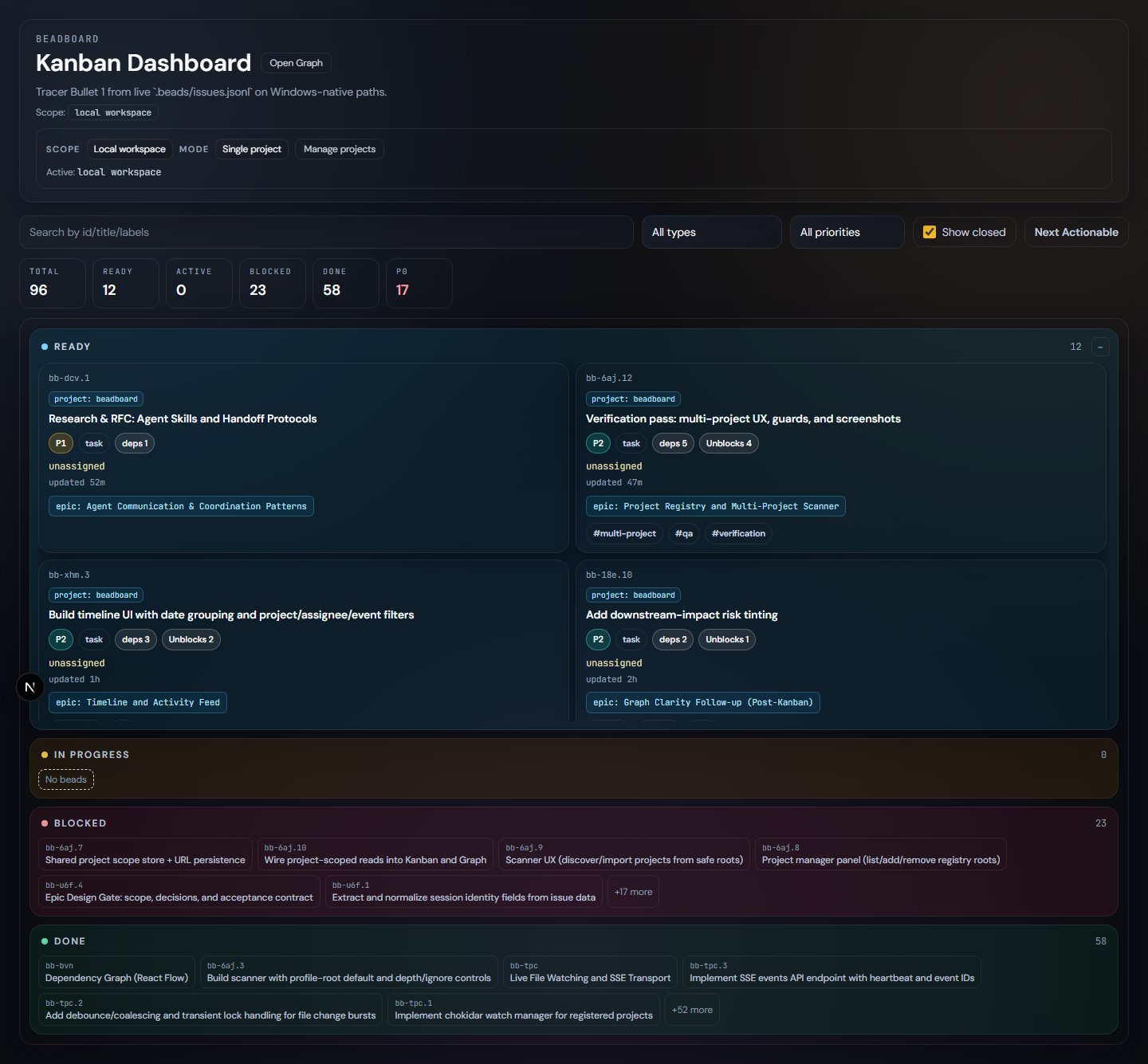
2. Interactive Kanban Dashboard (/)
Manage your flow state.
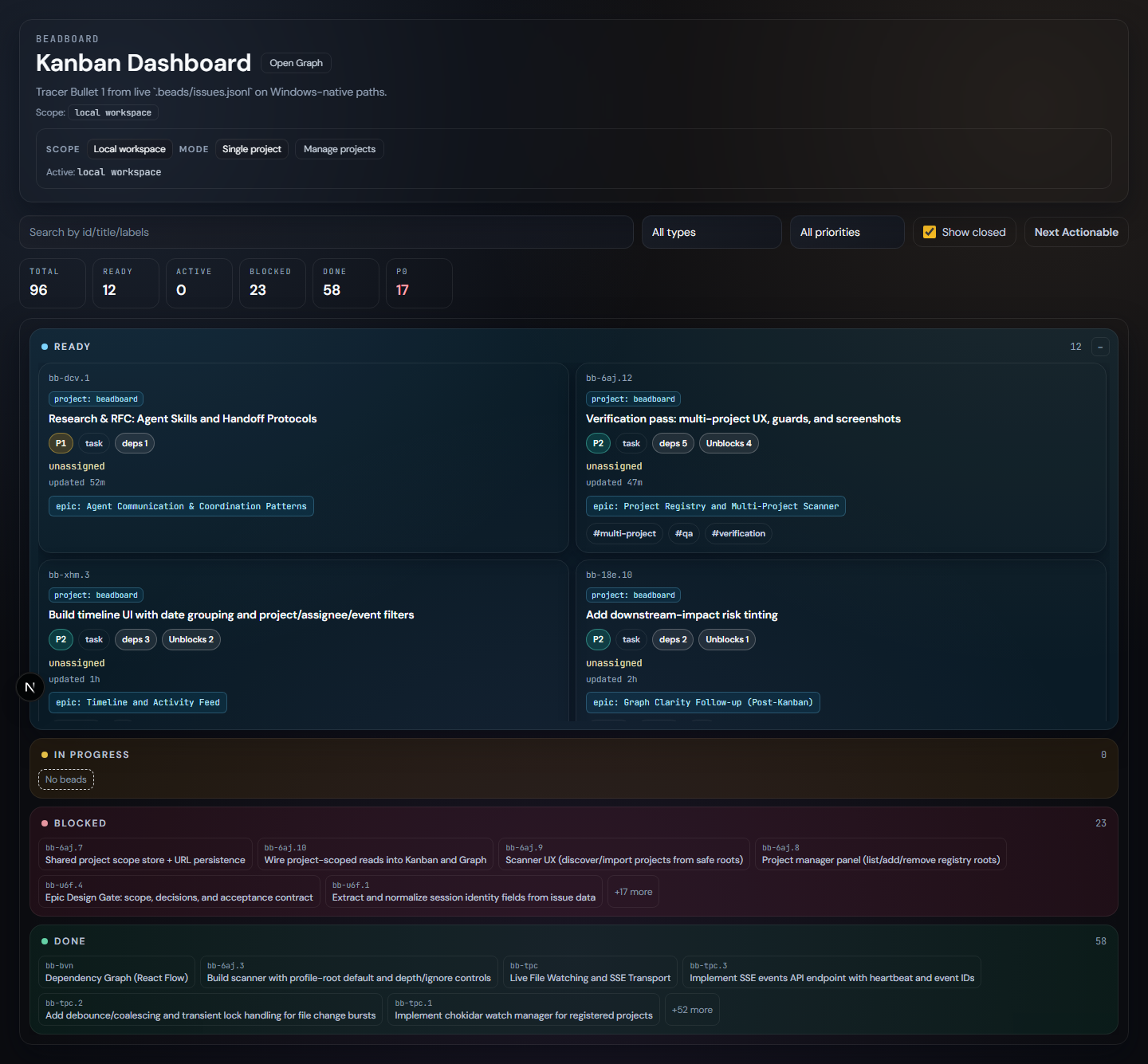
- Live Updates: Boards refresh automatically when the underlying JSONL files change (e.g., via CLI).
- Progressive Disclosure: Task details, metadata, and relations are tucked away until you need them.
- Smart Filtering: Filter by priority, assignee, status, or full-text search across thousands of beads.
3. Dependency Graph Explorer (/graph)
Understand the "Why" and "What's Next".
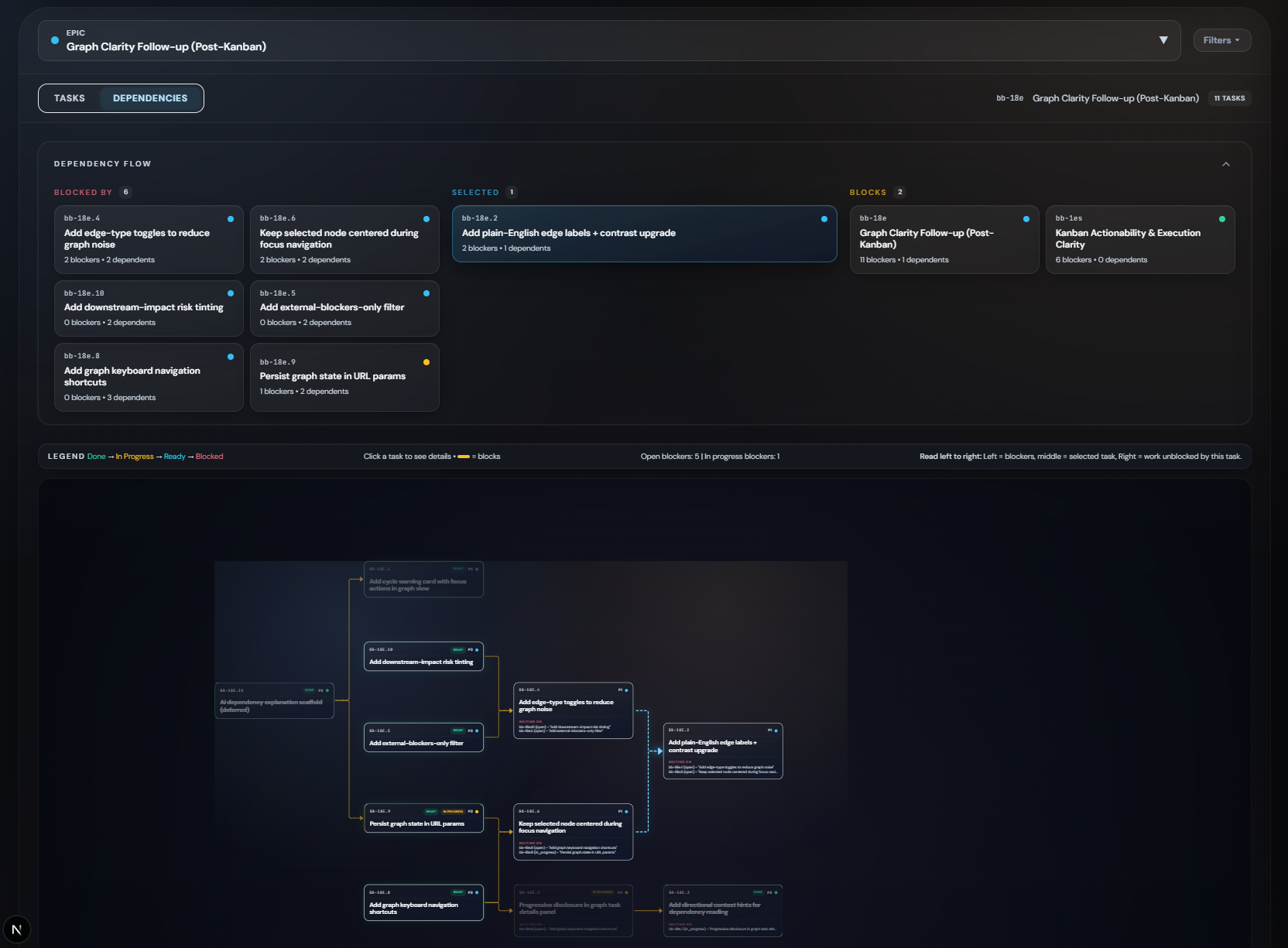
- Epic-Centric Layout: Automatically groups tasks by Epic for logical clustering.
- True DAG Visualization: Uses Dagre layout engine to enforce a strict Left-to-Right dependency flow.
- Left: Incoming Blockers
- Center: Focus Task
- Right: Unlocks / Downstream
- Focus Mode: Minimizable dependency strip and deep-linking support for sharing exact views.
- Smart Metadata: See bead counts, priorities, and status health at a glance.
🛠️ Stack
- Framework: Next.js 15 (App Router)
- UI Engine: React 19 + Framer Motion
- Styling: Tailwind CSS + Custom Design System
- Type Safety: Strict TypeScript
⚡ Quick Start
- Install:
npm install - Run:
npm run dev - Explore: Open
http://localhost:3000
🤝 Contribution
- Typecheck:
npm run typecheck - Test:
npm run test