 4251bd144b
Add comprehensive documentation for recent feature additions:

- Agent Sessions Hub (/sessions): Epic-grouped task feed, cross-agent
  communication, productivity metrics, and derived activity engine
- Timeline feature (/timeline): Real-time chronological activity feed
- Complete API reference for all endpoints including agent coordination,
  sessions management, activity streaming, and bead operations

Updated README.md with new feature sections and links.

Covers commits from the last 5 days including:
- feat(skills): beadboard-driver skill (1ae7efb)
- feat(observability): timeline and agent productivity APIs (bfe4f85)
- feat(ui): Social-Dense Agent Sessions Hub (f3558dc)
- feat(logic): derived-activity engine and agent-session protocols (ab05195)

Co-Authored-By: Warp <agent@warp.dev>
3.5 KiB
3.5 KiB
BeadBoard
The Windows-native Control Center for Beads.
BeadBoard is a high-performance local dashboard for managing your software development tasks. Built on the Beads protocol, it provides a unified, visualization-rich interface over your distributed project landscape.
🚀 Why BeadBoard?
Most task managers are siloes. BeadBoard is a lens over your source code.
- Source of Truth: Reads directly from
.beads/issues.jsonlin your repo. No database sync skew. - Windows Optimized: Built from the ground up to handle Windows paths, drive letters, and filesystem performance.
- Zero Latency: Optimistic UI updates make interactions feel instant.
✨ Core Features
1. Multi-Project Registry & Scanner
Stop context switching between repos.
- Project Registry: Persist your favorite project roots for one-click access.
- Auto-Discovery: Built-in filesystem scanner finds Bead-enabled projects across your drives.
- Aggregate Mode: View tasks from all registered projects in a single unified board.
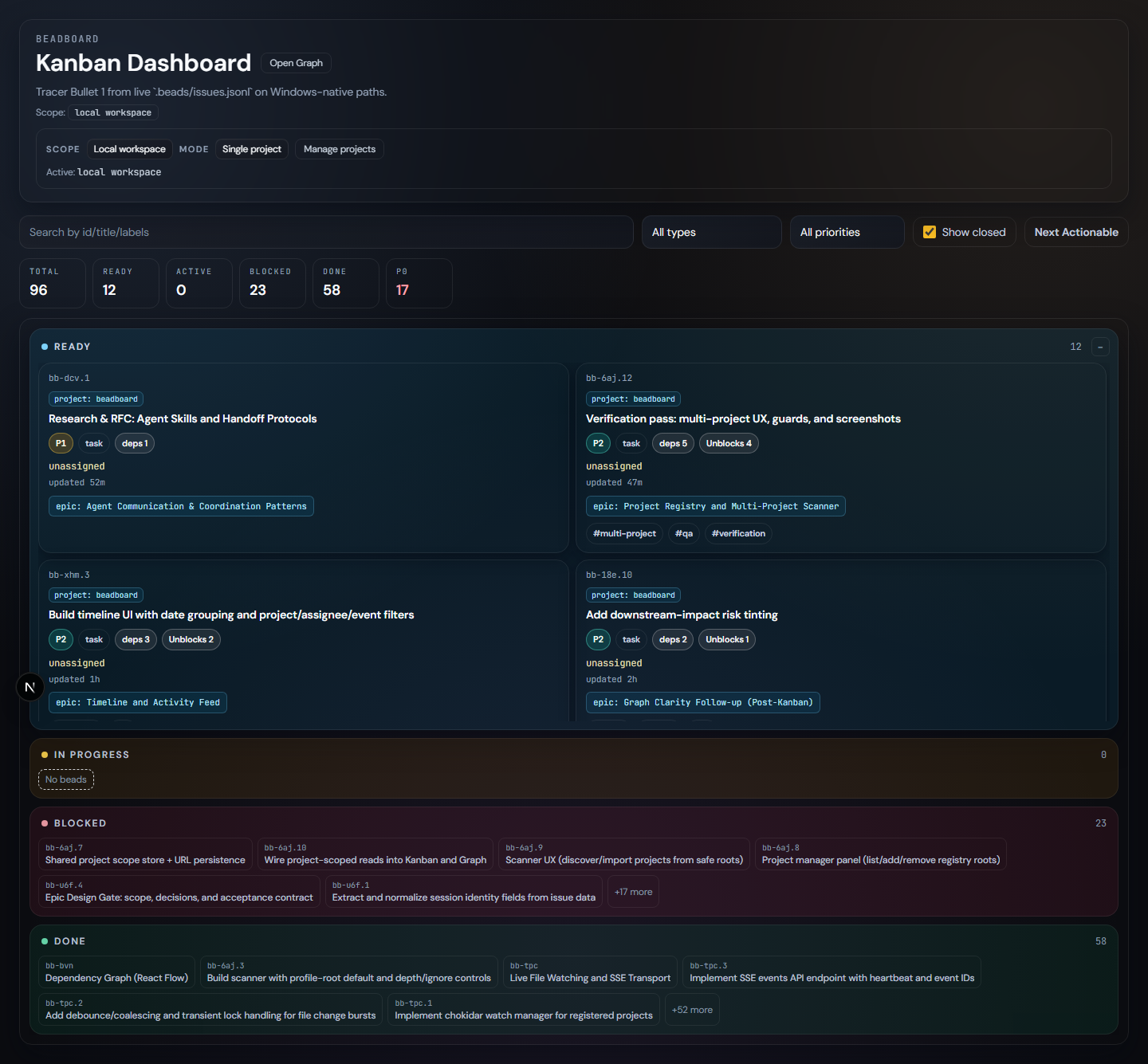
2. Interactive Kanban Dashboard (/)
Manage your flow state.

- Live Updates: Boards refresh automatically when the underlying JSONL files change (e.g., via CLI).
- Progressive Disclosure: Task details, metadata, and relations are tucked away until you need them.
- Smart Filtering: Filter by priority, assignee, status, or full-text search across thousands of beads.
3. Dependency Graph Explorer (/graph)
Understand the "Why" and "What's Next".
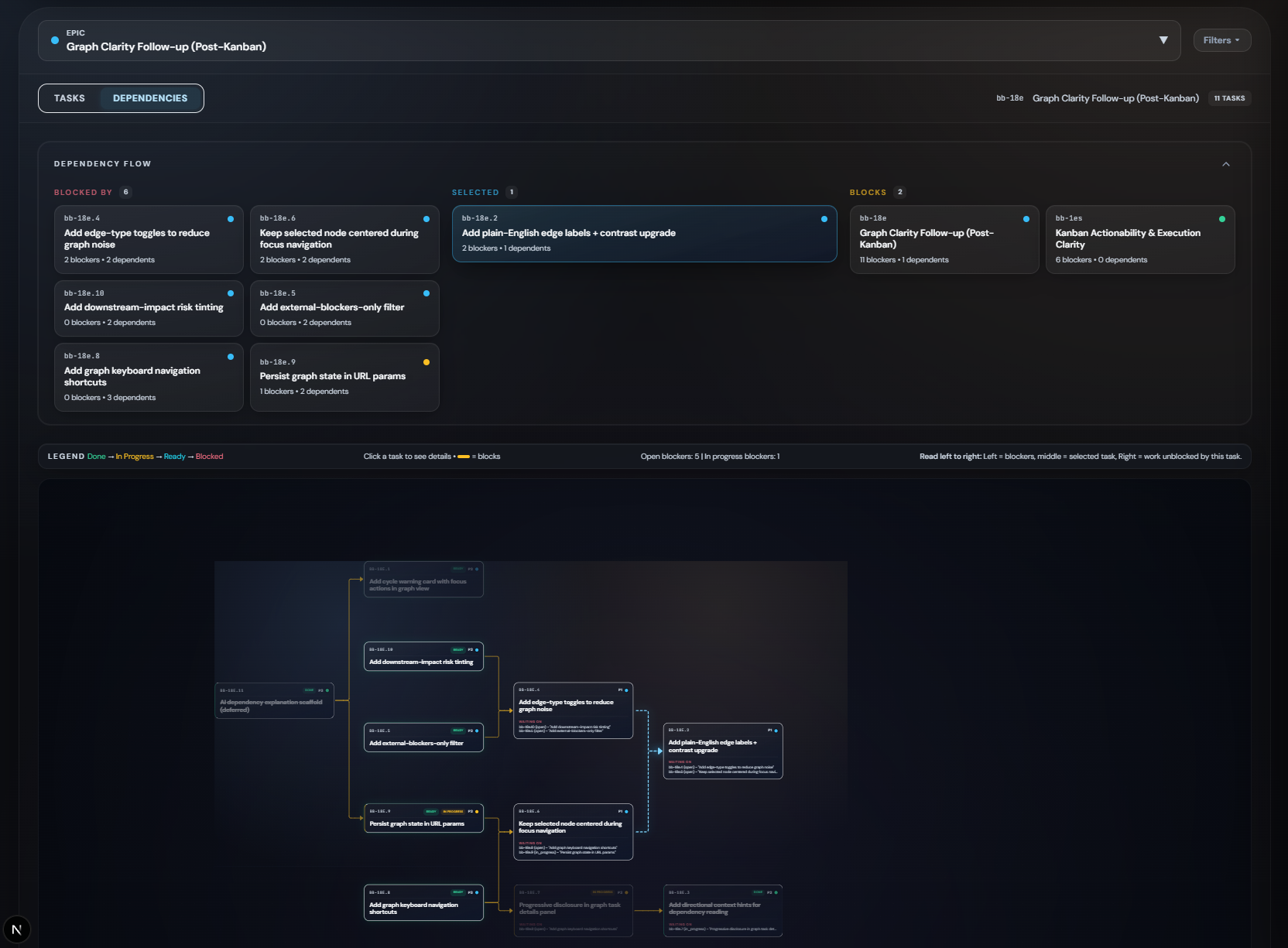
- Epic-Centric Layout: Automatically groups tasks by Epic for logical clustering.
- True DAG Visualization: Uses Dagre layout engine to enforce a strict Left-to-Right dependency flow.
- Left: Incoming Blockers
- Center: Focus Task
- Right: Unlocks / Downstream
- Focus Mode: Minimizable dependency strip and deep-linking support for sharing exact views.
- Smart Metadata: See bead counts, priorities, and status health at a glance.
4. Agent Sessions Hub (/sessions)
Coordinate multi-agent workflows with social-dense visibility.
- Epic-Grouped Task Feed: Tasks organized by parent Epic with session state indicators (active, reviewing, needs_input, stale).
- Cross-Agent Communication: Built-in messaging with HANDOFF, BLOCKED, and INFO categories.
- Agent Productivity Metrics: Real-time stats showing active tasks, completions, and recent wins.
- Derived Activity Engine: O(N) snapshot diffing computes project history on-demand without separate event storage.
bb agentCLI Integration: Visualizes data from agent registry, reservations, and mailboxes.
5. Chronological Timeline (/timeline)
Real-time activity feed for all project events.
- Live Updates: Server-Sent Events stream changes instantly.
- Date Grouping: Events organized by day (Today, Yesterday, etc.).
- Polymorphic Cards: Distinct visual styles for Status, Lifecycle, and Diff events.
- History Buffer: Recent events preserved across server restarts.
🛠️ Stack
- Framework: Next.js 15 (App Router)
- UI Engine: React 19 + Framer Motion
- Styling: Tailwind CSS + Custom Design System
- Type Safety: Strict TypeScript
⚡ Quick Start
- Install:
npm install - Run:
npm run dev - Explore: Open
http://localhost:3000
🤝 Contribution
- Typecheck:
npm run typecheck - Test:
npm run test